




How to Recover Deleted Whatsapp Messages Without Backup on Apple iPhone?

FREE Breaking News Alerts from StreetInsider.com!
StreetInsider.com Top Tickers, 10/6/2026
- Nasdaq notches record high close as investors focus on earnings
- Oil slips on rising Mideast crude exports, G7 stocks release
- Intel stock slides as TSMC explores Terafab tie-up, analyst flags share losses
- Schneider Electric to acquire PTC for $22.6 billion in all-cash deal
- Five things to watch in markets in the week ahead
 Tweet
Tweet Share
Share E-mail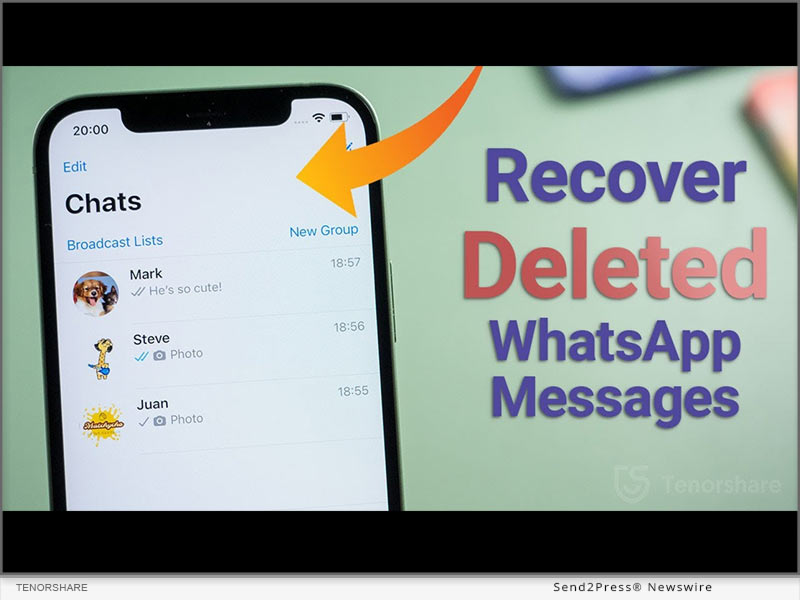
NEW YORK, N.Y., Jan. 25, 2023 (SEND2PRESS NEWSWIRE) When iPhone user accidentally delete their WhatsApp messages, a query echoes “How can I retrieve deleted messages on WhatsApp iPhone?” appears. It must be frustrating if there is no idea how to recover deleted WhatsApp messages on iPhone. Nevertheless, Tenorshare, an esteemed smartphone solutions provider, recently launched a reliable program,Tenorshare UltData WhatsApp Recovery to fix this issue. This WhatsApp Recovery software can effectively restore deleted Whatsapp messages without backup. Learn below what and how it can help in WhatsApp retrieval.
What Is Whatsapp Data Recovery Software?
“WhatsApp recovery has been troubling iPhone users for a long time when they accidentally deleted WhatsApp on your iPhone,” says a Tenorshare spokesperson, “To restore WhatsApp data without needing a backup, we launched Tenorshare WhatsApp Recovery software for iOS users.” Tenorshare UltData WhatsApp Recovery can get your accidentally deleted chat WhatsApp back.
It is a trustworthy tool that offers eye-popping new features such as:
- It can recover deleted WhatsApp messages on iPhone without backup.
- It can retrieve WhatsApp data like documents, images, video, audio, voice notes, and stickers.
- It can recover WhatsApp from iTunes backup.
- It also can recover old WhatsApp data without data loss.
- It offers a high WhatsApp recovery rate.
- It supports all current versions of iOS devices.
How to Recover Deleted Whatsapp Messages on Your iPhone?
With Backup
If you want to recover deleted WhatsApp messages iPhone with backup, please follow the guide. However, iCloud offers only 5GB of space for backup and doesn’t restore all types of files.
Navigate to “Settings” first. Choose “General > Reset.” Select “Erase All Content and Settings.” Next, press “Restore your iPhone from Backup with Set up Assistant.”
Without Backup
With advanced tech, UltData WhatsApp Recovery provides easy and quick WhatsApp deleted messages recovery on iPhone without backup. Here’s how it works:
- Connect your iPhone to your computer.
- Select “Device > Scan.”
- Choose the WhatsApp files you wish to recover and hit “Recover.”
- Waiting for the WhatsApp data recovery process.
About Tenorshare:
Tenorshare, the company at the backbone of a solution, has been endeavoring to offer high-quality software products for smartphone users. If iPhone users accidentally delete their WhatsApp messages and have no idea on how to recover deleted WhatsApp messages on iPhone, Tenorshare UltData WhatsApp Recovery is at your rescue to recover all kinds of WhatsApp files without backup.
More information: https://www.tenorshare.com/
Facebook: https://www.facebook.com/TenorshareOfficial/
Twitter: https://twitter.com/Tenorshare_Inc
YouTube: https://www.youtube.com/user/TenorshareOfficial/videos
TikTok: https://www.tiktok.com/@tenorshare_tech_tips
Pinterest: https://www.pinterest.com/Tenorshare/
NEWS SOURCE: Tenorshare Co. Ltd.
This press release was issued on behalf of the news source (Tenorshare Co. Ltd.), who is solely responsible for its accuracy, by Send2Press Newswire.
To view the original story, visit: https://www.send2press.com/wire/how-to-recover-deleted-whatsapp-messages-without-backup-on-apple-iphone/
Copr. © 2023 Send2Press® Newswire, a service of NEOTROPE®, Calif., USA. -- REF: S2P STORY ID: 88232SI.03
Serious News for Serious Traders! Try StreetInsider.com Premium Free!
You May Also Be Interested In
- GTC Prime Partners with Centroid Solutions to Deliver Multi-Asset Liquidity via CS 360 Bridge
- BLUETTI Highlights Portable Power Picks for Amazon's Prime Big Deal Days and Fall Blackout Preparedness
- Trane Named Climate Innovation Partner of Kroenke Sports & Entertainment
Create E-mail Alert Related Categories
Press Releases, Send2PressRelated Entities
TwitterSign up for StreetInsider Free!
Receive full access to all new and archived articles, unlimited portfolio tracking, e-mail alerts, custom newswires and RSS feeds - and more!
